PromptScoutPromptScout
  • Pricing
  • Contact

Documentation

Foundations

  • Overview
  • Getting Started

Configuration

  • Brand
  • Prompts
  • MCP
  • Search data
  • Cloudflare Traffic
  • Vercel Traffic

Daily workflows

  • Weekly workflow
  • Monitoring
  • Competitors
  • Sources
  • Analysis
  • Website
  • Traffic
  • Reports
  • Content

Product resources

PromptScout blogPrompt tracking guideStart Now
Browse documentation

Foundations

  • Overview
  • Getting Started

Configuration

  • Brand
  • Prompts
  • MCP
  • Search data
  • Cloudflare Traffic
  • Vercel Traffic

Daily workflows

  • Weekly workflow
  • Monitoring
  • Competitors
  • Sources
  • Analysis
  • Website
  • Traffic
  • Reports
  • Content

Product resources

BlogPrompt trackingStart Now
Loading documentation
PromptScoutPromptScout

PromptScout shows whether AI answers mention your brand, recommend competitors, and cite your pages across ChatGPT, Gemini, Google AI Overviews, Perplexity, and Bing Copilot.

  • Follow on X (Twitter)

Product

  • Features
  • Pricing
  • Roadmap
  • What's New
  • How It Works

Solutions

  • For Founders
  • For Agencies
  • For SEO Professionals
  • For Content Teams
  • For PR & Brand Teams

Resources

  • Free AI Visibility Check
  • AEO & GEO Guide
  • Docs
  • Blog
  • Free Tools
  • Website Checker
  • Prompt Tracking

Compare

  • vs Manual Tracking
  • vs Otterly.ai
  • vs Peec AI
  • vs Profound
  • vs GenRank
  • All Comparisons

Company

  • About
  • Contact
  • Support
  • Featured On

Microsoft and Bing Copilot are trademarks of the Microsoft group of companies. PromptScout is not affiliated with or endorsed by Microsoft.

2026 PromptScout. All rights reserved.

Privacy PolicyCookie PolicyTerms of Service
  1. Home
  2. /
  3. Docs
  4. /
  5. Weekly workflow

Daily workflows · Updated September 12, 2026

Review AI visibility each week

Check new answers, inspect recurring gaps, and review the work you completed.

On this page
  1. Check the latest completed results
  2. Inspect one recurring gap
  3. Complete an Opportunity
  4. Review the next reporting window
  5. Check traffic and search context

Check the latest completed results

Open Today for the summary, then Monitoring for the collected answers. Check provider coverage and the reporting window before comparing results.

Keep your brand and prompts current. Record significant prompt changes so you can account for them in later comparisons.

Inspect one recurring gap

Compare Competitors, Sources, and positioning attributes. Open the answers and source pages behind a pattern. Decide whether the finding calls for a content change, website fix, third-party evidence, or further observation.

Starter includes these monitoring and analysis workflows.

Complete an Opportunity

On Growth and higher, generate Opportunities within the team's monthly allowance. Each set contains three actions. Failed attempts and continuing existing work do not increase usage.

Before starting, check the proposed work, the supporting prompts and sources, and the watch window. Complete the work outside PromptScout, then add a completion note and relevant URL or artifact.

For a content or comparison Opportunity, use Content to create a brief when the required monitor evidence is available. Website audits and other generated analysis add context when available.

Review the next reporting window

Use Reports and AI Visibility Changes to compare the same questions and providers after the watch window. Record what changed and what stayed the same.

Report the observation directly: “Our mention rate increased after the page update.” Do not attribute the change to that update without evidence that supports the causal claim.

Check traffic and search context

On eligible plans, Traffic records AI referral visits, user fetches, and crawler events after the collector is installed. Search data provides search performance context.

A crawler request is machine access. A referral visit is a visit. Neither establishes which monitored answer caused a visitor to arrive without matching evidence.
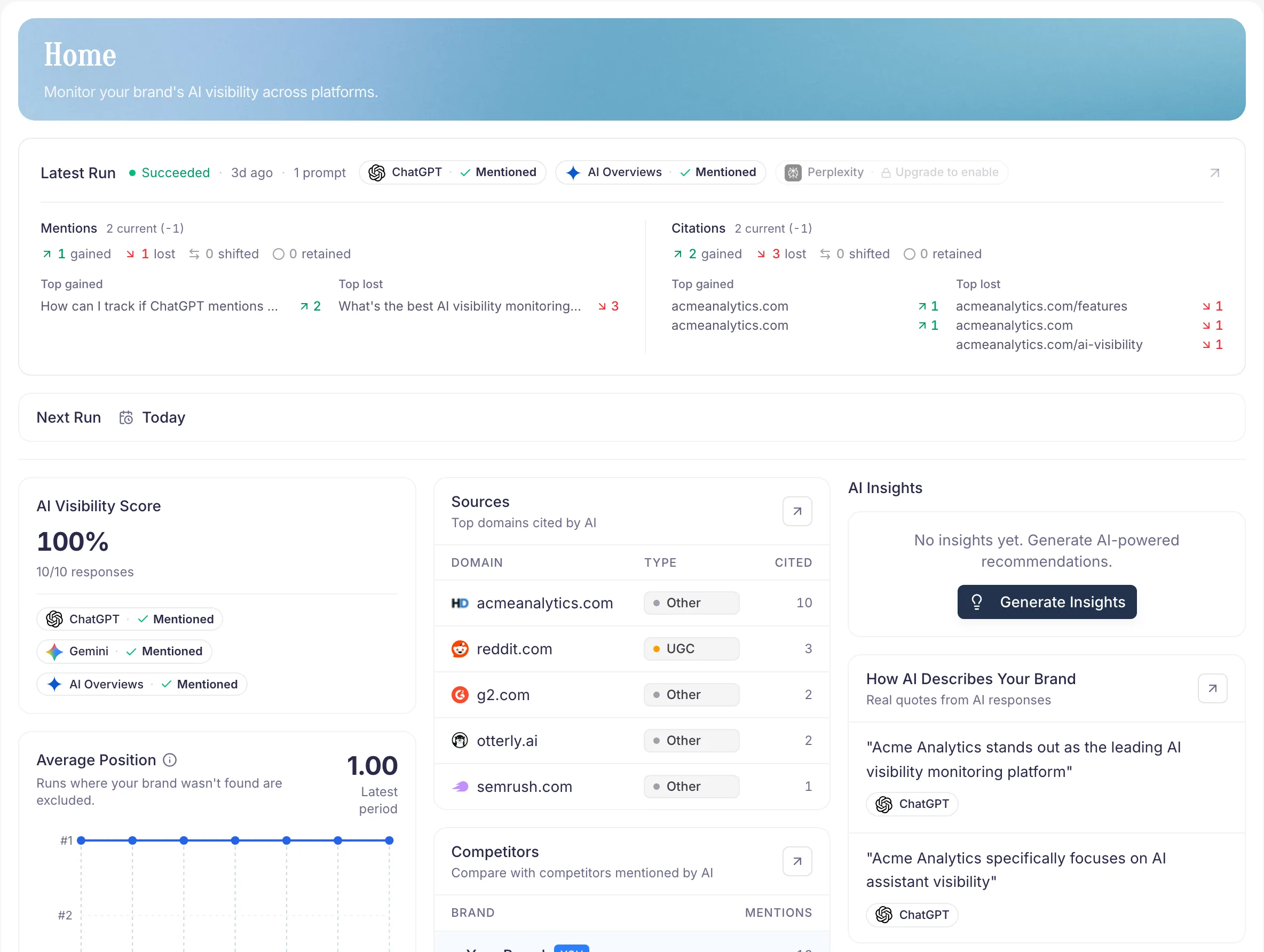
PromptScout Today view connecting Morning brief, AI Visibility Changes, Opportunities, and workflow evidence
Example from the PromptScout application. Open the image for detail.

On this page

  1. Check the latest completed results
  2. Inspect one recurring gap
  3. Complete an Opportunity
  4. Review the next reporting window
  5. Check traffic and search context
AI-Powered Visibility Insights

Related guides

  • Overview
  • Sources
  • Content
  • Traffic
  • Search data
  • AI Visibility Reports
  • AI-Powered Visibility Insights
PreviousVercel Traffic
NextMonitoring

Track your own brand.

Start NowSee pricing